Phishing Emails in 2026: How to Spot Fake Bank, Amazon and IRS Emails
 ·
Published
·
20 min read
·
Published
·
20 min read
Most people who fall for a phishing email are not careless. They are busy, the email looks exactly like the ones their bank sends every month, and it arrives at the one moment they were already worried about a charge or a package.
I run The Scam Exposed, and every week readers send me screenshots of emails and ask one question: is this real? Most of the time the answer is no. A smaller share of the time, the reader has already clicked, typed a password, or paid a "fee," and they want to know what to do next.
This guide is for both groups. It explains how phishing emails are built, which ones Americans see most in 2026, the checks that catch almost all of them, and the exact steps to take if you already clicked. I have kept it in plain English, because the people who most need this are rarely the people who enjoy reading about email headers.
Key takeaways
- The FBI's Internet Crime Complaint Center received 191,561 phishing and spoofing complaints in 2025, one of the most reported crime types.
- Phishing is usually the first step, not the whole scam. The email steals a password or a phone call, and the big loss comes later through a bank transfer, gift cards, or crypto.
- Real companies do not email you a link to "update" your payment details or "unlock" your account. The FTC says this plainly.
- The single most reliable habit: never act on the link or phone number in the email. Open the company's app or type its web address yourself.
- If you clicked and typed a password, change it from a clean device today and turn on two step verification. If money left your account, call your bank first, then report to the FBI and FTC.
What a phishing email really is
A phishing email is a message that pretends to come from someone you trust, so that you will hand over something valuable. That something is usually one of four things: a password, a one time code, a payment, or a phone call to a number the scammer controls.
The word comes from "fishing." The scammer sends out bait to thousands or millions of inboxes and waits for a small number of people to bite. Because sending email costs almost nothing, even a tiny success rate pays.
Phishing is the door, not the room
This is the part most guides miss. Phishing is rarely where the real loss happens. Think of it as the door the scammer uses to get into the house. Once inside, the damage can take many forms:
- A stolen email password lets the scammer reset your bank, Amazon, and PayPal passwords.
- A fake "your order was charged $499" email gets you to call a fake support line, where a person talks you into installing remote access software.
- A fake invoice gets paid by a small business owner who did not look twice.
- A fake "security alert" from your bank leads to a call where you are told to move your savings into a "safe account."
That is why the FBI counts phishing complaints in the hundreds of thousands, while the dollar losses show up under other labels like tech support fraud, business email compromise, and investment fraud. The email was the start. The money left later.
Spear phishing and whaling
Some phishing is not random. "Spear phishing" uses details about you, such as your employer, your boss's name, or a recent purchase, to make the message feel personal. "Whaling" targets executives and the people who approve payments at a company. These versions are less common for everyday consumers, but they are getting easier to produce now that scammers use AI tools to write clean, natural English.
How much money phishing costs
Exact phishing losses are hard to pin down, because, as I explained above, the loss is usually counted under the scam that comes after. Here is what the official data does show.
| Measure | Figure | Source |
|---|---|---|
| Phishing and spoofing complaints, 2025 | 191,561 | FBI IC3 2025 report |
| Losses filed directly as phishing and spoofing, 2025 | $215.8 million | FBI IC3 2025 report |
| Business email compromise losses, 2025 | $3.05 billion | FBI IC3 2025 report |
| All internet crime losses reported to the FBI, 2025 | $20.88 billion | FBI IC3 2025 report |
| Losses reported by people 60 and older, 2025 | $7.75 billion | FBI IC3 2025 report |
| Fraud losses reported to the FTC, 2025 | $15.9 billion | FTC testimony, March 2026 |
| Losses to bank impersonators, 2025 | Nearly $1 billion | FTC, June 2026 |
Two things stand out to me in these numbers.
First, the gap between $215.8 million and $3.05 billion. The first number is what people reported as plain phishing. The second is business email compromise, which is phishing aimed at companies and the people who pay their bills. When phishing reaches someone who can approve a wire transfer, the losses jump by more than ten times.
Second, bank impersonation. The FTC says bank impersonators took nearly $1 billion in 2025, the biggest single impersonation category. Many of those scams begin with a fake security alert by email or text. The FTC itself notes that some of the costliest impersonation scams start exactly this way.
And all of these figures are reported losses. Most people never report. The real number is higher.
How a phishing email works, step by step
Nearly every phishing email I have reviewed follows the same four steps. Once you can see the pattern, the emails become much easier to spot.
Step 1: A trusted name
The email borrows the name of someone you already deal with. Banks, Amazon, PayPal, Apple, Microsoft, Netflix, the USPS, UPS, the IRS, and your own email provider are the favorites. The logo is copied from the real website, so it looks perfect. The "From" name says "Chase" or "Amazon Support" even when the actual address behind it is a random Gmail account or a strange domain.
Step 2: A problem or a prize
Next comes a reason to act. Either something is wrong ("your account is locked," "a payment failed," "we detected a login from Russia") or something good is waiting ("you have a refund," "claim your reward"). The FTC lists the same stories: suspicious activity, a problem with your payment information, a request to confirm personal details, an invoice you do not recognize, or a fake government refund.
Step 3: A deadline
Then the clock. "Within 24 hours." "Today only." "Your account will be permanently closed." The deadline exists for one reason: to stop you from calling the real company or asking a family member. Scammers know that a person who waits ten minutes usually figures it out.
Step 4: One action
Finally, a single thing to do. Click a button. Open an attachment. Call a number. Reply with your details. Everything in the email is designed to push you toward that one action and away from any other path, such as logging in through the app you already have.
The rule that beats all four steps: If an email asks you to act, do not use anything inside the email to do it. Open the company's app, or type its web address yourself, or call the number on the back of your card. If the problem is real, you will see it there too.
The 8 phishing emails Americans get most
These are the versions I see most often in reader submissions and in official warnings. Each one comes with what it says, what it wants, and the quick check that exposes it.
1. The fake bank security alert
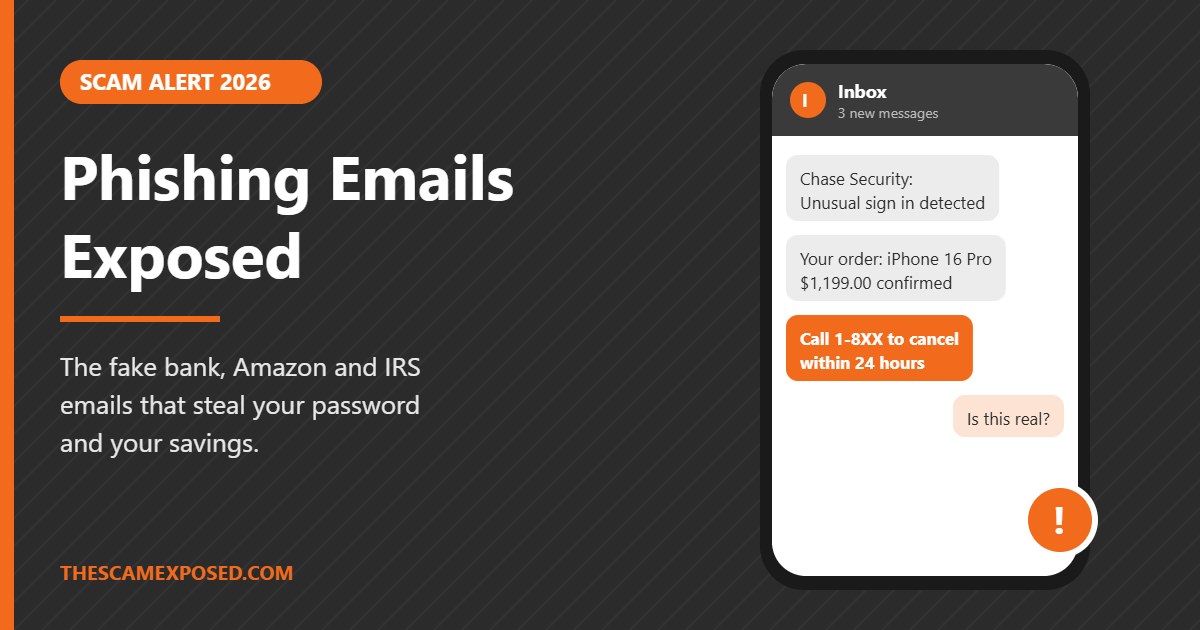
What it says: "Unusual sign in detected on your account. Verify your identity to avoid suspension."
What it wants: Your online banking username, password, and the one time code your bank texts you. With all three, the scammer logs in as you. A newer version asks you to call a "fraud department" number, where a fake agent tells you to move your money to a "safe" account.
The check: Open your bank's app directly. Real security alerts also appear there. Your bank will never ask you to read back a code or move money to protect it.
2. The order you did not place
What it says: "Thank you for your purchase. Your order of an iPhone 16 Pro for $1,199.00 has been confirmed. If you did not authorize this, call 1-8XX-XXX-XXXX."
What it wants: A phone call. On the call, a "refund agent" asks you to install a remote access app, then "accidentally" refunds too much and asks you to send the difference back in gift cards or a wire. This is one of the most common routes into tech support fraud, which hits older adults hardest.
The check: Log in to Amazon, PayPal, or Best Buy yourself and look at your orders. If the charge is not there, the email is fake. Real receipts almost never include a phone number to "cancel."
3. The renewal invoice
What it says: "Your Norton, McAfee, or Geek Squad subscription has auto renewed for $399.99."
What it wants: The same phone call as above. The invoice often arrives as a PDF attachment, because attachments slip past some spam filters more easily than links.
The check: Ask yourself whether you ever bought that product. Then check your card statement, not the email.
4. The delivery problem
What it says: "Your package could not be delivered due to an incomplete address. Pay a $1.99 redelivery fee."
What it wants: Your card number. The tiny fee makes it feel harmless, but the page is collecting your full card details. The FTC ranked fake package delivery messages as the top text scam of 2024, and the same story runs by email.
The check: Copy the tracking number into the carrier's own website or app. The USPS does not charge redelivery fees by email or text.
5. The account locked or storage full email
What it says: "Your Microsoft 365 mailbox is full. Messages will be deleted." Or: "Your iCloud storage is full. Your photos will be removed."
What it wants: Your email password. Your email account is the master key to almost everything else, because it is where password reset links go.
The check: Go to settings on your phone or sign in at the provider's site to see your real storage. Never type your email password on a page you reached from a link.
6. The tax refund or government benefit
What it says: "You are eligible for a tax refund of $812.40. Submit your details to receive payment."
What it wants: Your Social Security number, bank account, and sometimes a photo of your ID, which is everything needed for identity theft.
The check: The IRS does not start contact by email about refunds or bills. It sends letters. Check your status at IRS.gov by typing the address yourself.
7. The shared document
What it says: "Mark shared a document with you: Invoice_2026.pdf. Click to view."
What it wants: Your Microsoft or Google password. The link opens a sign in page that looks exactly like the real one. These messages sometimes use real file sharing services to host the fake page, so the link can even start with a trusted address. We covered one version in our report on phishing pages hosted on Firebase Storage.
The check: If you were not expecting a file, ask the sender by text or phone. If you click and land on a sign in page, close it.
8. The medical or health portal message
What it says: "New test results are available in your patient portal."
What it wants: Your portal login, which holds your insurance details and date of birth. This one works because the news feels urgent and personal. We broke down a live example in our article on the fake MyChart test results email.
The check: Open your health system's app or call the clinic. Real portal notices do not ask you to "verify" your password through a link.
A typical case, start to finish
The story below is a composite built from the pattern readers describe to us most often. The names and numbers are illustrative, but every step is real.
On a Tuesday morning, a retired teacher in Arizona gets an email that appears to come from PayPal. It says her account was charged $689.99 for a gaming laptop and gives a number to call if she did not authorize it. She has never bought a gaming laptop. She calls.
A polite man answers as "PayPal Billing." He says the order looks fraudulent and he can reverse it, but first he needs to connect to her computer to "file the dispute." He walks her through installing a remote access program. While connected, he opens what looks like her bank page and says the refund went through, but he made a mistake: he typed $6,899 instead of $689.99.
He sounds panicked. He says he will lose his job. He asks her to return the extra money. Because her bank will "flag" a transfer, he says, the safest way is gift cards. She drives to two stores and buys $6,000 in cards, reading him the numbers over the phone.
In reality, he never refunded anything. He simply moved money between her own checking and savings accounts and edited the web page on her screen to make it look like a deposit. The $6,000 in gift cards is gone within minutes.
Look at where the warning signs were. The email had a phone number for "cancellations," which real PayPal receipts do not. The fix required remote access, which no real refund does. The "overpayment" story is a known script. And the payment method was gift cards, which no real company accepts to fix a refund. Any one of those, noticed in time, would have stopped it.
Red flags you can check in 30 seconds
You do not need technical skill to spot most phishing emails. Run through this list before you click anything.
- The greeting is generic. "Dear Customer" or "Dear User" instead of your name. Your bank knows your name.
- The sender address does not match. The name says "Amazon," but the address ends in something like @amaz0n-support.co or a free Gmail or Outlook account.
- There is a deadline. 24 hours, today, immediately. Real companies give you time.
- It asks you to confirm or update details. The FTC is clear that legitimate companies will not email or text you a link to update payment information.
- There is a phone number to cancel a charge. This is the setup for a refund scam call.
- The link does not go where it says. On a computer, rest your mouse on the link without clicking and look at the address that appears. On a phone, press and hold.
- There is an unexpected attachment. Especially .zip, .html, or .exe files, or PDFs from people you do not know.
- The payment method is strange. Gift cards, wire transfers, crypto, or payment apps to fix a "problem" are always a scam.
- Something feels slightly off. A logo a little blurry, a footer with an old year, a strange mix of fonts. Trust that feeling and verify.
How to check who really sent an email
The name you see in your inbox can say anything. The address behind it is harder to fake, and checking it takes seconds.
On a phone
- Open the email.
- Tap the sender's name at the top. The full address appears below it.
- Read the part after the @ sign, from right to left. "alerts.chase.com" belongs to Chase. "chase.com.secure-login.net" belongs to whoever owns secure-login.net.
On a computer
- Rest your mouse on the sender's name to reveal the address.
- Rest your mouse on any link without clicking. The real destination shows at the bottom of the window.
- In Gmail, open the three dot menu and choose "Show original." Look for lines that say SPF, DKIM, and DMARC. "PASS" means the email really came from the domain it claims. "FAIL" is a strong warning.
A warning about trusted addresses
A real looking address is not proof on its own. Scammers sometimes send messages through real services, such as a genuine PayPal invoice or a genuine Google Docs share, with a fake phone number typed into the note. The address will pass every check, because the service is real. That is why the most reliable test is not the address. It is the action. If the email wants you to call a number, pay, or sign in, go to the company another way.
You can also paste a suspicious phone number, website, or email address into our free scam checker to see if other people have reported it.
Real company email vs phishing email
| Feature | Real company email | Phishing email |
|---|---|---|
| Greeting | Usually your name | "Dear Customer" or your email address |
| Sender domain | The company's own domain | Look alike or unrelated domain |
| Tone | Calm, informational | Urgent, threatening, or too good to be true |
| Asks for password or code | Never | Often |
| Phone number to cancel charges | Rare | Very common |
| Payment by gift card or crypto | Never | Common |
| Same alert visible in the app | Yes | No |
| Remote access to your device | Never needed | Often requested |
How to protect yourself
Spotting phishing helps. Making it harmless when you miss one helps more. These steps do both.
- Use the app, not the email. Make this a habit for banks, shopping, and email providers. If there is a real problem, the app will show it.
- Turn on two step verification everywhere it is offered. Start with your email, bank, and Amazon. Even if a scammer steals your password, they still need the second step. An authenticator app or passkey is stronger than a text code.
- Never share a one time code. Those codes are only for you to type into the real site. Anyone who asks you to read one aloud is a scammer, even if they say they are from your bank.
- Use a different password for your email. If your email password is unique, a leak from some shopping site cannot open your inbox. A password manager makes this easy.
- Keep your phone and computer updated. Updates close the holes that malicious attachments use.
- Set up alerts on your bank and cards. A text for every charge over a small amount lets you catch fraud within minutes instead of weeks.
- Freeze your credit. It is free at Equifax, Experian, and TransUnion, and stops anyone from opening new accounts in your name.
- Agree on a "pause" rule with family. Any email or call that involves moving money gets a ten minute wait and a phone call to someone you trust. Scams depend on speed.
Already clicked or paid? Do this now
First, do not be embarrassed. These emails are made by people who do this full time. What matters now is speed. Do the steps that fit your situation, in this order.
If you only clicked a link
- Close the page. Do not type anything.
- Run a security scan on your device, and install any pending updates.
- Watch your accounts closely for the next few weeks.
If you typed a password or code
- From a different, trusted device, change that password right away. If you used the same password anywhere else, change it there too, starting with your email.
- Turn on two step verification for that account.
- Check your email settings for forwarding rules you did not create. Scammers often add one so they get copies of your mail.
- Sign out of all other sessions. Most email and bank apps have this option under security.
If you gave card or bank details, or money has left
- Call your bank or card company now, using the number on your card or statement. Ask them to stop or recall any transfer and to replace your card. Speed matters a great deal with wires. The FBI's Recovery Asset Team froze $679 million in 2025 in cases reported quickly.
- Report to the FBI at IC3.gov.
- Report to the FTC at ReportFraud.ftc.gov.
- If personal details were shared such as your Social Security number, go to IdentityTheft.gov for a recovery plan and freeze your credit.
- If you paid with gift cards, call the gift card company right away using the number on the back of the card. Sometimes the funds have not been spent yet.
- If you are 60 or older, call the National Elder Fraud Hotline at 1-833-372-8311 for free help.
Our step by step page on the first 48 hours after a scam covers what to say when you call your bank and which deadlines matter.
Report the email itself
Forward phishing emails to the Anti-Phishing Working Group at reportphishing@apwg.org, as the FTC recommends. Then use the "Report phishing" option in Gmail or Outlook, and delete it. If you got the same message by text, forward it to 7726 (SPAM). Our guide to scam text messages covers text scams in detail.
Watch for the second scam. After you report a loss, you may get calls or emails from "lawyers," "recovery agents," or even fake FBI agents who promise to get your money back for a fee. That is a recovery scam, and it targets people who were just scammed. Real government agencies do not charge you to recover money. Read our guide on recovery scams that target past victims.
FAQ
Can I get hacked just by opening a phishing email?
On an updated phone or computer, simply opening and reading an email is very unlikely to harm you. The danger comes from clicking links, opening attachments, typing details, or calling numbers inside it. Keep your devices updated to stay on the safe side.
What should I do with a phishing email?
Do not click or reply. Forward it to reportphishing@apwg.org, use your email app's "Report phishing" button, and delete it. If it impersonates a specific company, many companies also have a reporting address listed on their website.
Why does the phishing email have my real name or address?
Your details may have leaked in a data breach of a company you used. Scammers buy those lists so their emails feel more believable. A correct name does not make an email real.
Is it safe to click "unsubscribe" on a suspicious email?
No. On a phishing email, the unsubscribe link can lead to a fake page or confirm your address is active. Mark it as spam or phishing instead.
Will my bank ever email me asking to verify my account?
Banks may email you alerts, but they will not ask you to confirm your password, PIN, or a one time code by email, and they will never ask you to move money to protect it. When in doubt, call the number on your card.
I replied to a phishing email but did not click anything. Am I in danger?
Replying tells the scammer your address is active, so you may get more scam emails. If you did not share any personal or financial details, the risk is low. Do not continue the conversation.
How can I protect an older parent from phishing emails?
Help them turn on two step verification, set up bank alerts, and agree on a simple rule: any email about money gets a call to you before they act. Showing them the "order you did not place" example above is often enough to make it stick.
How we researched this article
This guide is based on the FBI Internet Crime Complaint Center's 2025 annual report, Federal Trade Commission data and testimony published in 2026, the FTC's consumer guidance on phishing, and the scam emails our readers send us for review. The typical case is a composite of reader reports, with details changed. Figures are reported losses and undercount the true total. This article is for general education and is not legal or financial advice. Written by Nitesh Kumar Gupta, Founder and Editor of The Scam Exposed.
Share Your Experience
No one has commented yet. If this happened to you as well, say so below. Knowing that other people had the same call makes it far easier for the next person to trust their instincts.
Add Your Comment
Every comment is read by a person before it appears, so it will not show up straight away. Never post your phone number, address, or bank details here.