
Five Phone Settings That Stop Most Scam Calls Before They Start
 ·
Published
·
Updated
·
11 min read
·
Published
·
Updated
·
11 min read
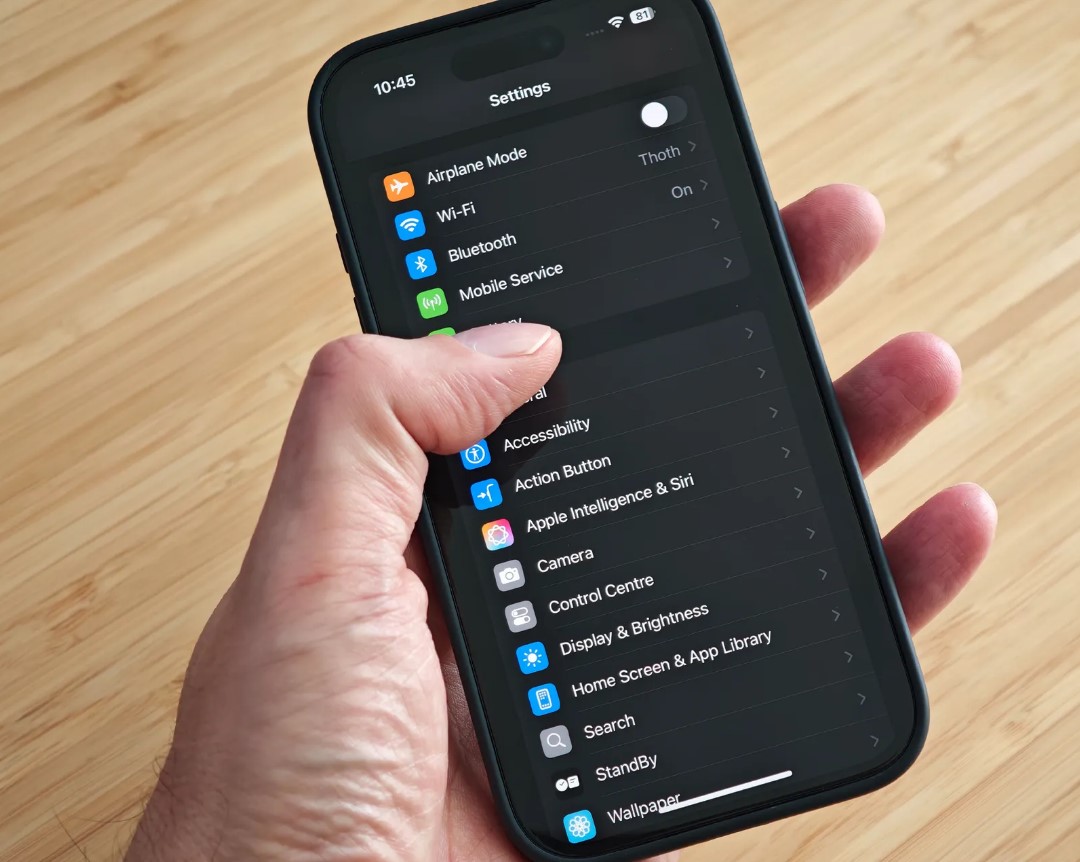
Most scam calls never actually need to reach your parents' phone. The phone already has what it takes to stop them. Those tools just sit switched off from the day it leaves the shop, and almost nobody ever turns them on.
This takes about fifteen minutes. Sit next to them while they do it, or walk them through it on a call. There are five settings below, and it's worth doing all five, because each one closes a different door, and a scammer only needs one left open to get through.
At the end there's a short checklist you can print and leave by the phone.
Before you start
Menu names differ between phone brands, and they shift again with almost every software update. Where a name has changed recently, both the old and new versions are given below. If you can't find something, open Settings and use the search bar at the top, then type the bolded word. That search usually finds the setting even after a menu has moved.
Do this on the phone itself, not over a remote connection. If anyone has ever asked to connect to that phone remotely, read the section on screen sharing apps near the bottom first, since that's a separate and more urgent problem.
One. Screen calls from numbers not in contacts
This is the change that stops the most calls, and it's also the one people push back on hardest, so it helps to explain the logic before switching it on.
On an iPhone, this isn't a simple toggle anymore. Go to Settings, then Apps, then Phone, and scroll to Screen Unknown Callers. There are three options now: Never, Ask Reason for Calling, and Silence. Never means unknown numbers ring like anything else. Ask Reason for Calling screens the call first, so the caller has to state why they're calling before the phone even rings. Silence sends unknown numbers straight to voicemail with no ring at all. For a parent, Ask Reason for Calling is usually the safer pick over Silence, since it still lets a real caller through right away instead of leaving them stuck checking voicemail. One thing to know: calls aren't screened while roaming, and screening turns itself off for 24 hours after dialing emergency services.
On a Samsung Galaxy, open the Phone app, tap the three dots in the corner, tap Settings, then Block numbers, and turn on Block calls from unknown numbers. This is a full block with no ring, so make sure the important numbers are saved first. Newer Galaxy phones also have a separate Scam detection feature that flags likely scam calls in real time with a warning tone. If that option shows up in their settings, turn it on alongside the block.
On other Android phones, open the Phone app, tap the three dots, tap Settings, tap Caller ID and spam, and turn on both Caller ID and spam and Filter spam calls. Filtered calls stay out of notifications but still show up in the call history, so nothing actually disappears.
Before switching any of this on, sit down together and save the numbers they'll need this month. The doctor's office, the pharmacy, the bank's real number copied off the back of the card and never off a search result, the plumber, the pension provider, anyone they're expecting to hear from soon. This step matters more than it seems. One missed important call is usually what convinces someone to turn the whole thing back off.
What this doesn't stop is a scammer spoofing a number already saved in contacts, or a number saved long ago and half forgotten. It also does nothing for text messages, which is next.
Two. Filter texts from people not in contacts
Text scams have overtaken call scams by volume. The two showing up most often right now are the fake unpaid toll message and the fake missed delivery message, and both count on someone tapping within a few seconds, before there's time to think it through.
On an iPhone, go to Settings, then Apps, then Messages, and turn on Filter Unknown Senders. A separate tab appears at the top of the Messages app for anything from a number not saved in contacts.
On Android, including most newer Samsung phones since they now run Google Messages as the default texting app, open Messages, tap the profile picture in the corner, tap Messages settings, tap Spam protection, and turn it on.
Show them where the filtered tab actually lives. Some real messages land there too, mostly one time login codes from services they've signed up for, so they need to know to check it rather than assume the setting is broken.
Three. Turn on automatic software updates
This one feels unrelated to scams until you see how a fake warning pop up actually works. It isn't a virus. It's a web page exploiting an old bug in an outdated browser that's already been patched elsewhere. On a phone that updates itself, most of these pages simply fail to do anything. On a phone two years behind, they work exactly as designed, and the person ends up dialing the number on the screen.
On an iPhone, go to Settings, then General, then Software Update, then Automatic Updates, and turn on both Download iOS Updates and Install iOS Updates. Also turn on Security Responses and System Files on the same screen, since that's the channel used for urgent fixes between full updates.
On Android, go to Settings, then System, then Software update, and turn on automatic download over Wi-Fi. On Samsung this sits under Settings, then Software update, with the auto download option nearby.
Do the same for apps. In the Play Store or App Store account settings, set apps to update automatically over Wi-Fi, since an outdated browser or messaging app is usually the actual way in.
Four. Turn on two factor authentication
The first three settings cut down how many scam attempts get through at all. This one limits the damage if one gets through anyway.
On an iPhone, go to Settings, tap the name at the top, then Sign-In and Security, and check that Two-Factor Authentication is on. It's enabled by default on most Apple accounts created in recent years, but it's worth confirming.
On Android, go to Settings, then Google, then Manage your Google Account, then Security, then 2-Step Verification.
Then do the same for the accounts that matter more than the phone itself, the banking app, the main email account, and anything holding a pension or investment. Email deserves extra attention, since whoever controls the inbox can reset the password on almost everything else, and people tend to lock down the bank while leaving email as an afterthought.
Say this part to them plainly. No bank, no police department, no fraud team, and no courier will ever ask for a two factor code over the phone. A caller asking for that code is the scam, no exceptions.
Five. Block app installs from outside the official store, and check what's already there
Nearly every tech support scam ends with the caller asking the person to install a screen sharing app so they can fix the problem. Once that's running, the caller can see the banking session and move money while hiding the confirmation screens from view.
On Android, go to Settings, then Apps, then Special app access, then Install unknown apps. Go through the list and set every entry, especially the browser, messaging apps, and any file manager, to not allowed. On Samsung, the path is Settings, then Security and privacy, then More security settings, then Install unknown apps.
On an iPhone, apps can only come from the App Store, so this door is already closed. What's worth checking instead is Settings, then General, then VPN and Device Management. If a profile is listed there that nobody recognizes, remove it, since a stranger installed profile can redirect traffic or monitor activity.
Then on either phone, scroll through the installed apps and look for anything that grants remote screen control that nobody remembers installing. If something turns up, that's no longer just a settings problem. It needs to come off the phone and any linked accounts need to be checked right away.
Two more things that aren't settings but matter just as much
Agree on a family code word. A short word only the family knows, used to confirm a distressed call really is who it claims to be. This matters more than it used to, since voice cloning has made the voice itself unreliable as proof of identity.
Change the voicemail greeting to something plain, like please leave a message, rather than a full name and confirmation of the number. A specific greeting tells a stranger working through a list that they've reached a real, active, named person, which is useful information to hand over for free.
If they still have a landline
None of the phone settings above touch a landline, and a large share of reported scam calls still arrive that way. Ask the landline provider directly, using the number on the bill and not a search result, what free call screening or anonymous call rejection they offer. Most carry some version of this, but it usually has to be requested. A plug in call blocking device between the wall jack and the phone is the other option, and it works regardless of what the provider offers.
What none of this stops
It's worth being honest about the limits, because false confidence is its own risk. None of this stops a spoofed number that matches a saved contact. None of it stops a scam that arrives by email, by post, or through social media. None of it stops someone who searches for a support number themselves and calls a fake advertisement. And none of it helps once someone has already been talked into cooperating mid call. What these settings actually do is cut the volume sharply and strip the urgency out of whatever does get through, and that's what actually changes outcomes.
Print this and leave it by the phone
One. If the phone didn't ring, it wasn't someone who needed to reach me.
Two. I never give a code from a text message to anyone who calls me.
Three. I never install anything because a caller told me to.
Four. If someone says they're from the bank, I hang up and call the number on the back of my card.
Five. If it's urgent and about family, I ask for the code word.
Sources
Apple Support, Manage unknown callers on iPhone
Apple Support, Software updates for iPhone
Samsung Support, Block spam calls with Smart Call on your Galaxy phone
Google Messages Help, spam protection settings
What Do You Think?
No one has commented yet. If this happened to you as well, say so below. Knowing that other people had the same call makes it far easier for the next person to trust their instincts.
Add Your Comment
Every comment is read by a person before it appears, so it will not show up straight away. Never post your phone number, address, or bank details here.